
PROJECT GUIDES / 01
How to plan a 3D visualization or animation project
Planning a vessel presentation, a technical animation or a set of interior views? Explore the questions below to understand your options and how production works. You can approach DD3D with drawings, an existing model or a short description. The brief template at the end will help you get started.
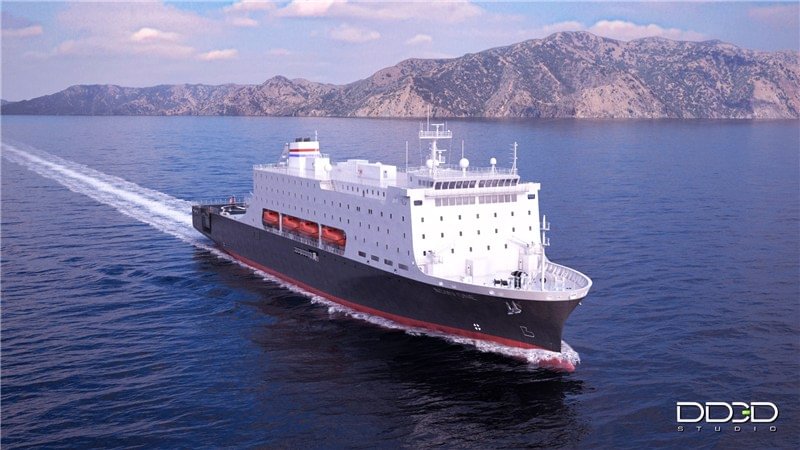
Where should we start with a 3D project?
Start with your audience, what you need to show and when you need it. Think about where the visuals will appear and what the viewer should understand afterwards. A film for an exhibition screen has different demands from an image in a brochure or a technical presentation led by an engineer.
For example, a shipowner introducing a new vessel may need an overall impression of the exterior and its main onboard spaces. An equipment manufacturer may need to make one operating sequence understandable. An interior designer may need consistent views of a room to discuss furniture and finishes.
Write down the main message in one sentence, then identify the details that support it. This gives the production a focus and helps decide which views are worth making.
Should we choose still images, animation or interactive 3D?
Still images work well when viewers need to examine a particular view, compare alternatives or use the same visual across presentations and printed material. A planned set of views can explain a space or product without requiring a film.
3D animation is useful when movement, sequence or a guided presentation matters. The camera can travel around a vessel, move through an interior, or follow equipment through its operating stages. Cutaways can reveal parts that would be hidden in a photograph.
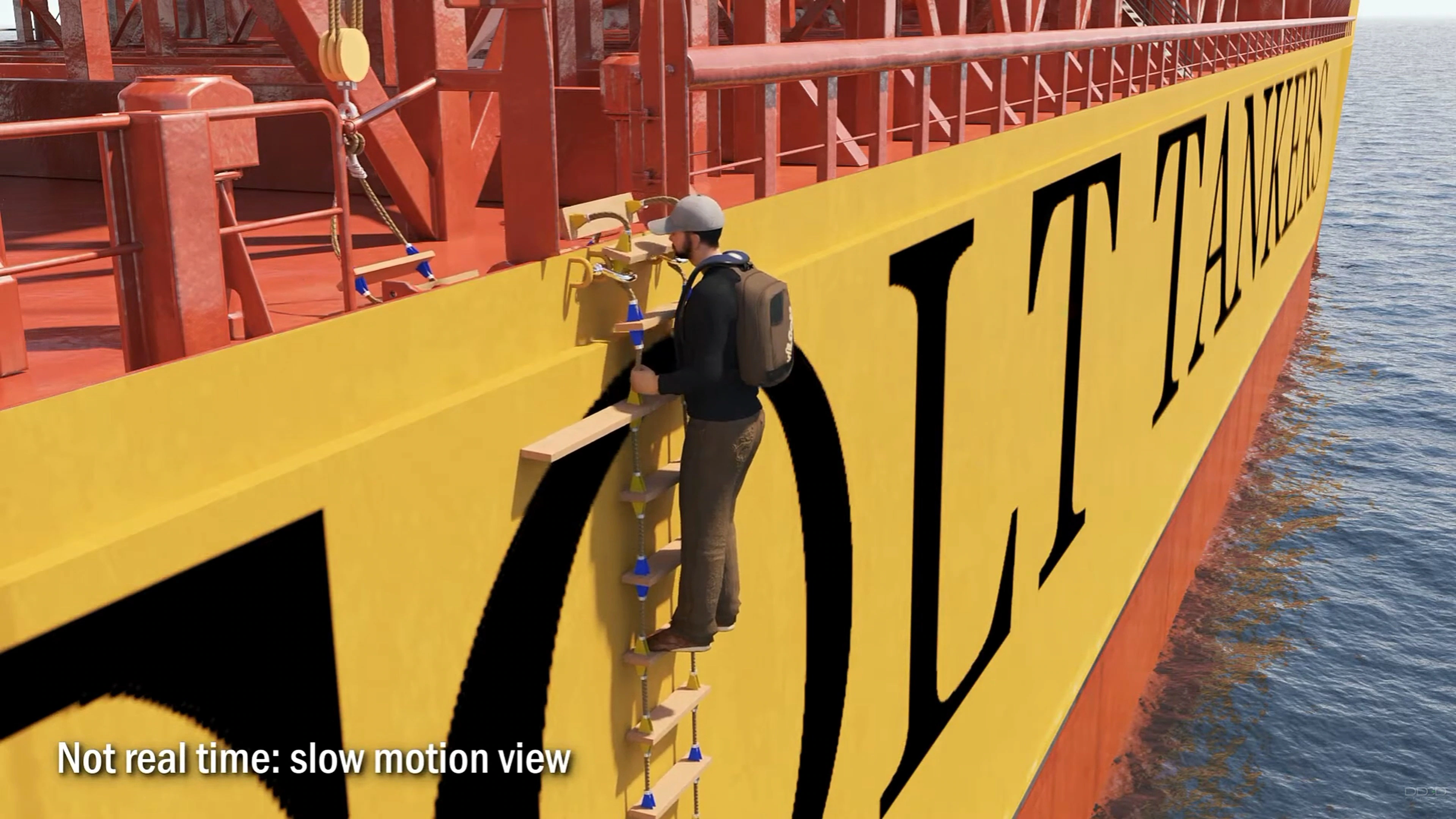
The Pilot Ladder Fall case animation shows why timing matters. Slow motion helps the viewer follow the changing positions of the pilot, ladder and vessels as the incident unfolds.
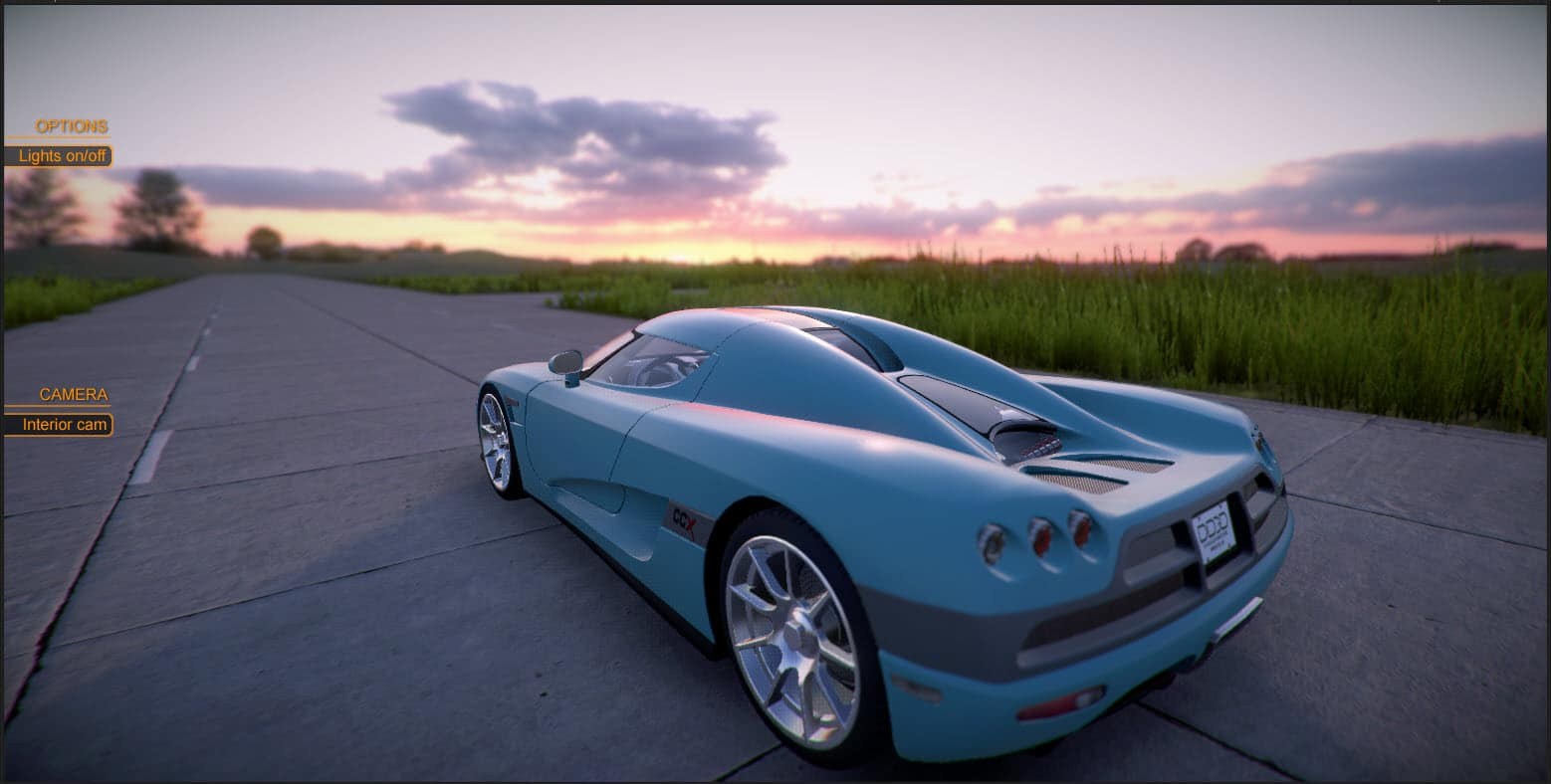
Interactive 3D gives viewers control over what they explore or change. A configurator might let them select colours or inspect different parts of a product. This needs its own plan for controls, devices and delivery, as well as the 3D content. DD3D's Unity car configurator demo shows this type of interaction.
A project can combine formats. If you need a film, still images and short versions for different channels, include those in the initial discussion so the production can support the different uses.
Can an existing 3D model reduce the production cost?
Yes, sometimes substantially, but the saving depends on the model and what the project needs to show. In some cases, we can use the supplied geometry as it is. Materials and textures may still need work, which can take considerable time, but reusing suitable geometry can save much of the effort of building the model from scratch.
In other cases, the model needs more preparation. CAD models can develop uneven surfaces or geometry problems when converted into the polygon-based models we use for visualization. A supplied model may also lack the detail required for close views, or contain errors that become visible in the final images. Depending on the extent of these issues, we may need to repair or rebuild parts of the model, or recreate it entirely.
Even a model that cannot be used directly can be valuable. It can help us understand the shape, proportions and arrangement of components, making our own modelling faster and more straightforward. Include any available 3D models when discussing the source material for your project, even if you are unsure whether they are suitable.
Reviewing the model against the intended views lets us assess what can be reused and how much work it saves. Scene preparation, lighting, animation where required, and final rendering still form part of the production.
Does one still image cost less than ten?
It can, but much of the production work is shared. We need to build or prepare the 3D models, assemble the scene, create materials and textures, and set up the lighting and rendering, whether the final delivery is one image or several views of the same subject.
Think of it as building a house before photographing it. Taking one photograph or a hundred does not substantially change the cost of building the house. Similarly, a large part of the investment in 3D visualization goes into creating what will appear in the images.
At DD3D, we therefore estimate the work involved in the project rather than apply a fixed price per image. Additional views of an existing scene still need composition, rendering and finishing, but they can reuse the work already done. The scope changes more substantially when a view requires another room, additional models or details that were not needed for the original images.
If you need several views, tell us at the beginning. Knowing the intended coverage helps us prepare the scene for the full set.
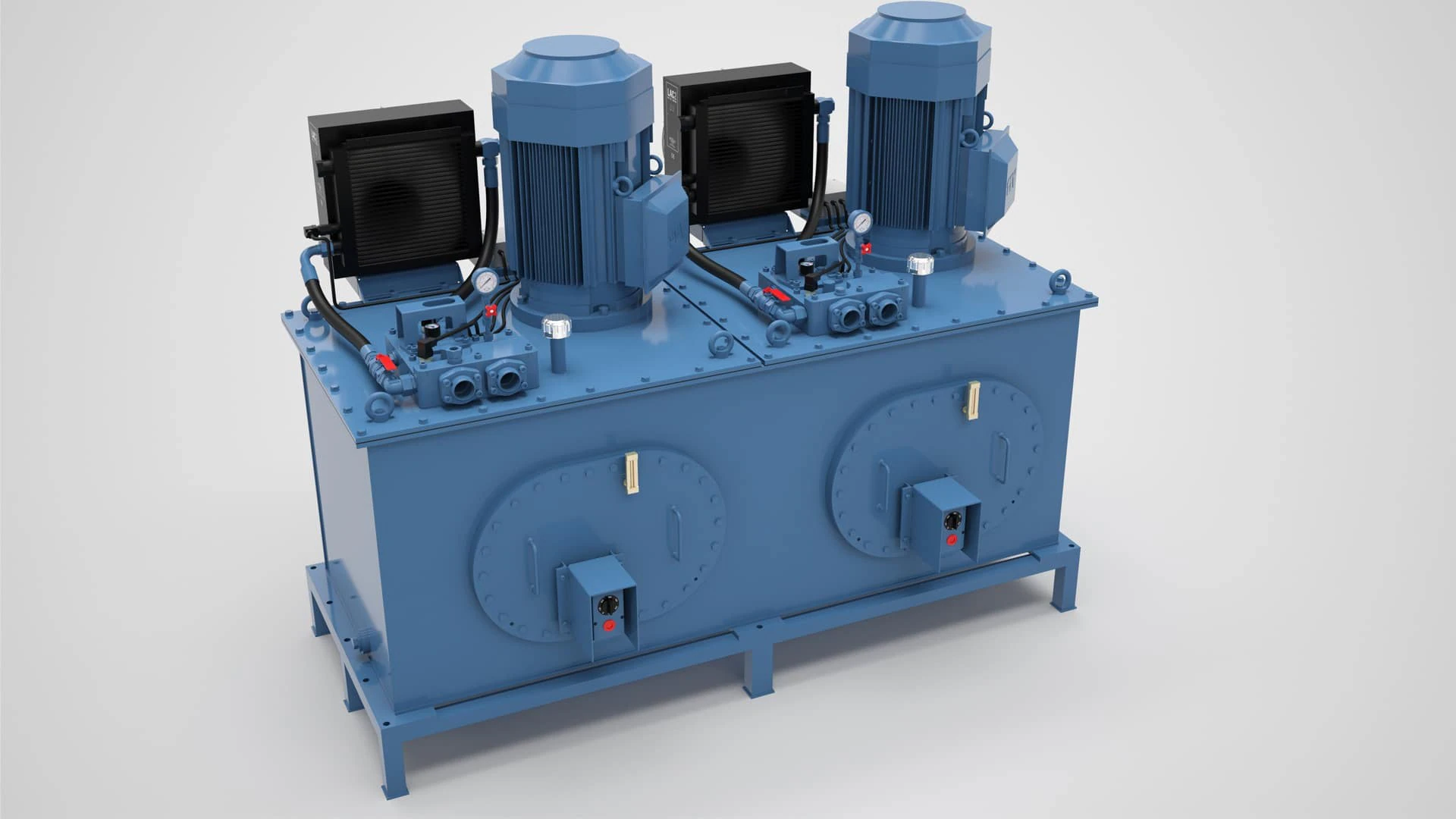
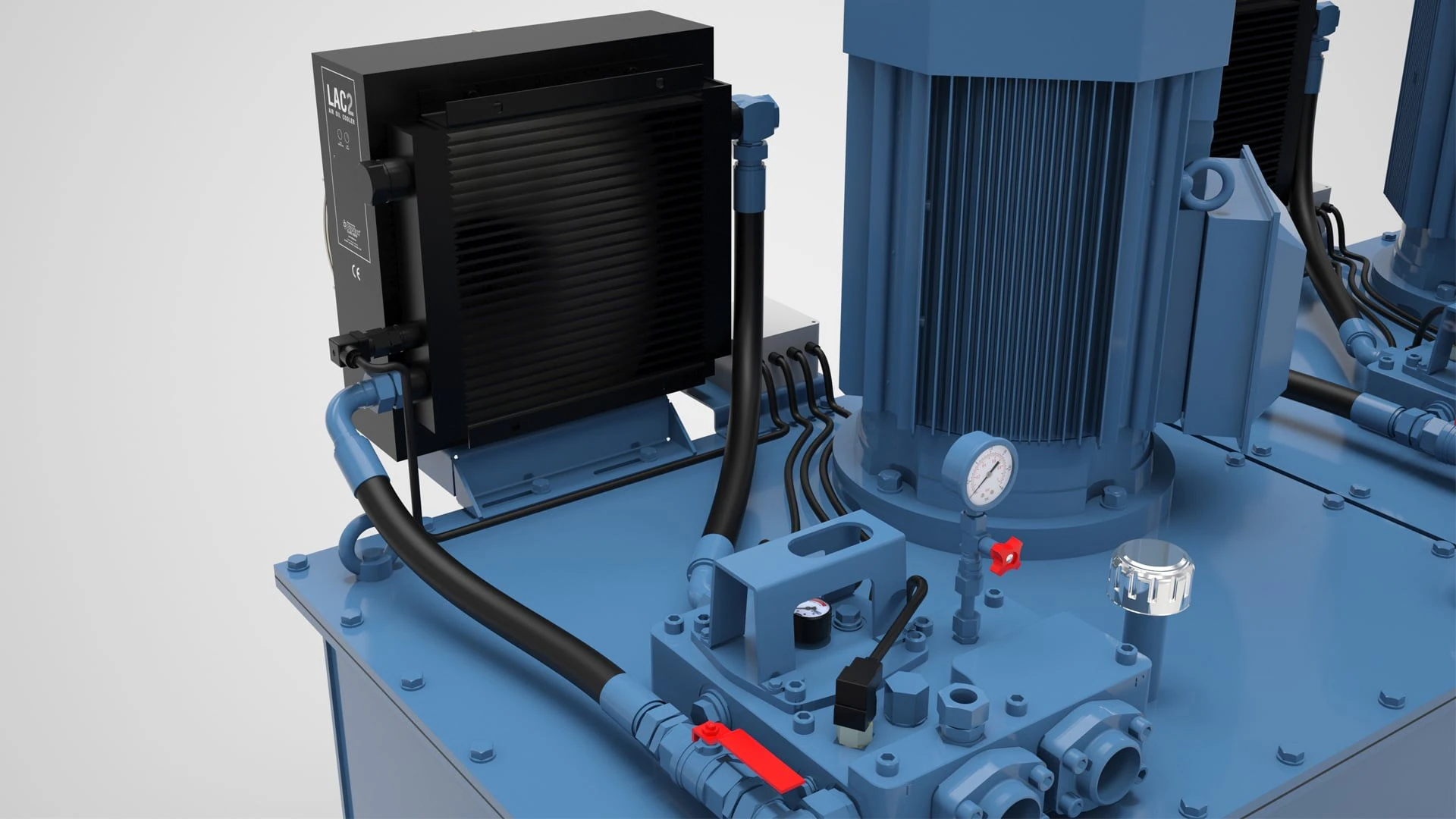
Our Rolls-Royce machinery visualizations illustrate this approach, with overall views of the machinery alongside closer views of individual components and connections.
Are still images included with an animation?
When we produce an animation, the 3D models and scenes already exist. Creating still images within that agreed scope usually adds relatively little work, so we include a reasonable number of these images in the animation price. We can agree on the selection and required image sizes when planning the deliverables.
Additional charges may apply for very high resolutions, such as those needed for large print applications, or for images that require work beyond the animation. This could mean a new viewpoint that needs additional scene preparation, different elements or new 3D models.
If you need images for a website, brochure or exhibition display alongside the film, mention those uses early. We can then plan suitable views and confirm which images are included.
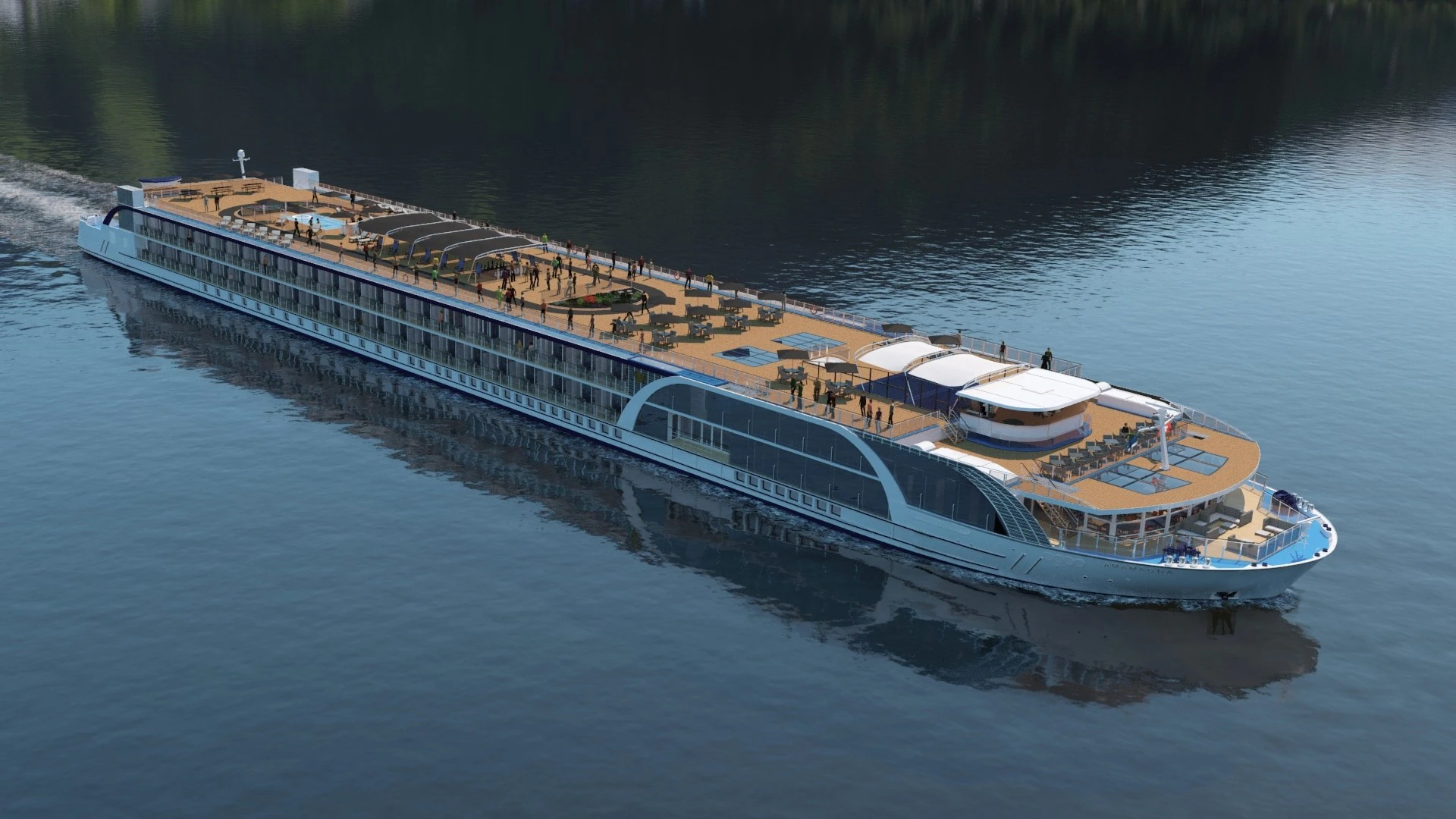
For AmaMagna, DD3D produced a promotional animation and a package of still images for AmaWaterways. The project shows how a film and individual images can present the same vessel in complementary ways.
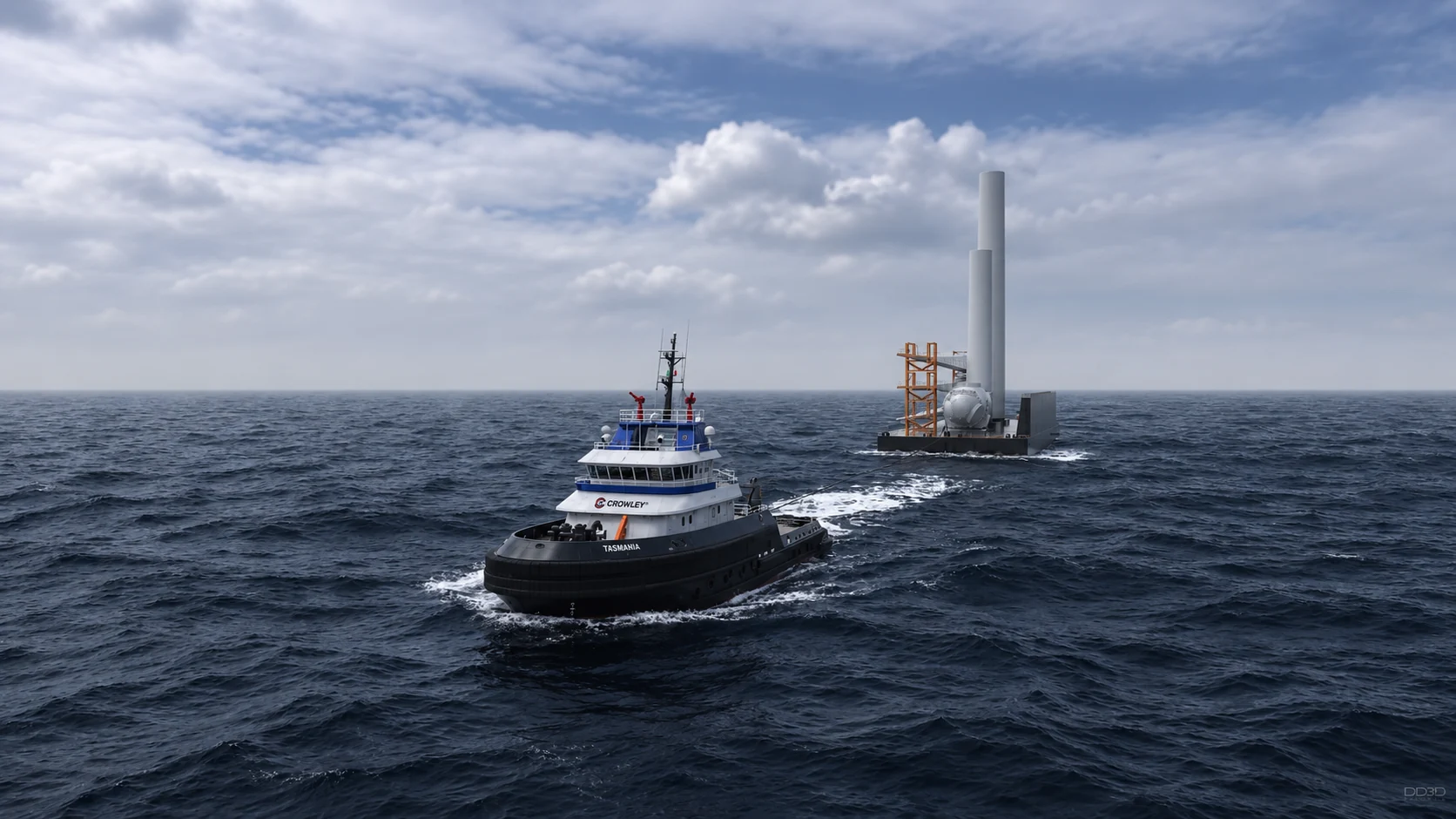
The Crowley offshore wind project pairs a film showing the transport sequence with stills that give viewers time to examine the loaded barge, turbine components and vessels.
Do we need to prepare a script or storyboard?
A short description of what must be shown is enough to start a conversation. For a technical animation, explain the operating steps, identify the important components and tell us who can answer questions about the system.
A script sets out the sequence and, where needed, the narration or on-screen text. A storyboard uses a series of frames to show how that sequence could look. These help turn the initial idea into a plan that everyone can review before detailed production.
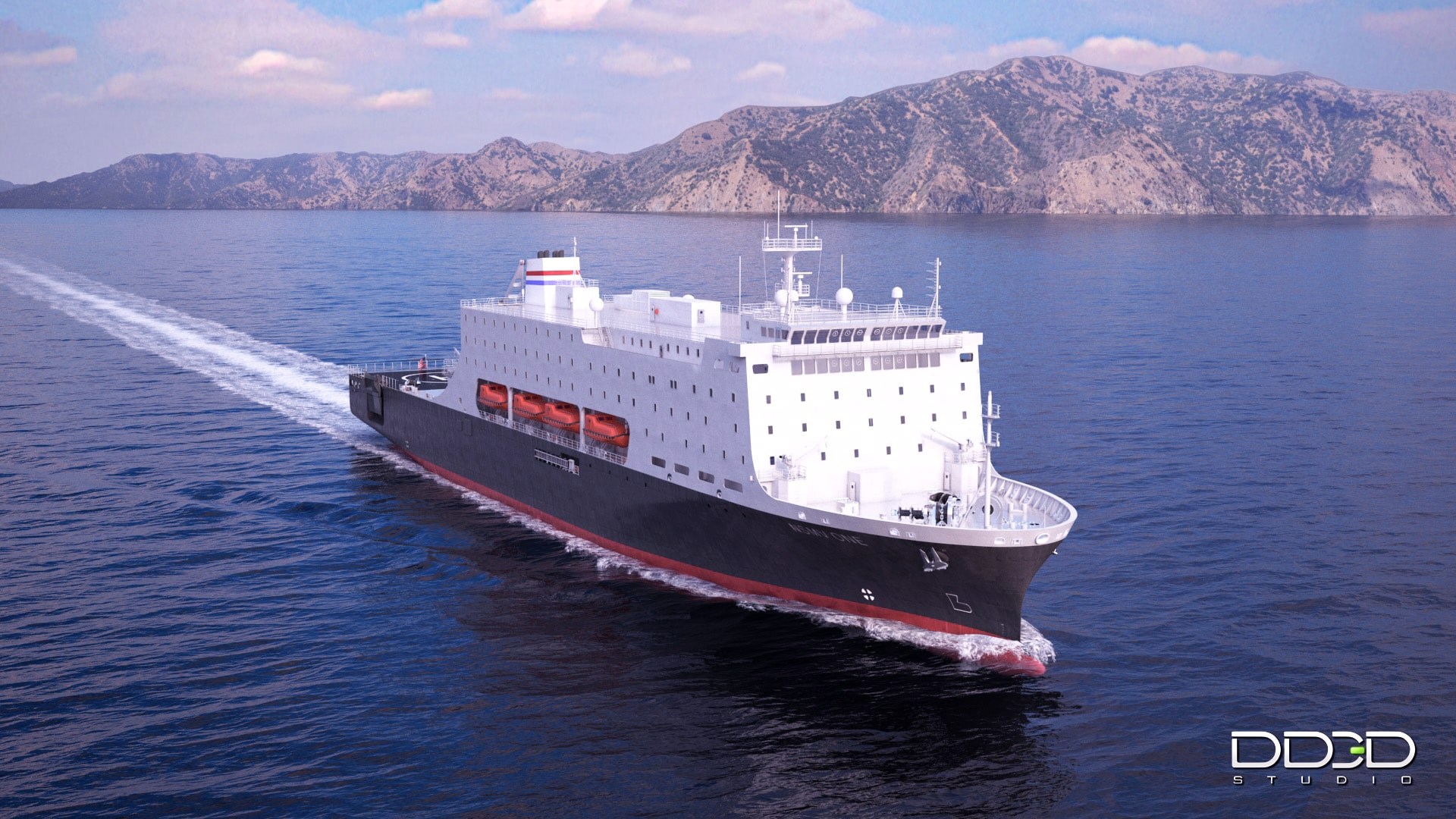
For the NSMV presentation film, DD3D worked with the ship design team and handled production from script and storyboard through modelling, animation, rendering, editing and narration. For your project, the proposal should identify which of these tasks are needed and who will provide or approve the content.
What happens during production?
The exact sequence depends on the project. Still images and interactive applications have different review needs from an animated film. An animation project can include the following stages:
- Define the scope. Establish the audience, available materials, required scenes, outputs and deadline. Identify design decisions that are still open.
- Plan the presentation. Develop the views or sequence. For a film, this may include a script, storyboard and rough timing.
- Prepare the 3D content. Build or adapt the models and scenes needed for the agreed views. Develop materials, lighting and movement.
- Review the work. Check the design, camera positions, sequence and appearance at appropriate stages, with feedback from the people responsible for each decision.
- Render and finish. Produce the final images or frames, then complete the agreed editing, graphics, sound and output versions.
The aim of these stages is to make decisions while they can still be addressed efficiently. A camera change is easier to evaluate in an early preview than after the final film has been rendered and edited.
Do you use AI in your production process?
Yes, selectively. We use AI to support project planning, script development and storyboarding, and occasionally for minor finishing adjustments to images.
We do not use AI to create 3D models or generate complete images or videos. For the projects we handle, we consider human expertise and direct control over geometry, materials and movement essential. Our artists make these decisions through the modelling, animation and rendering process.
When you are presenting a major investment or explaining how a technical system operates, the visuals need to represent the design and its function accurately. AI-generated content can introduce plausible-looking details or movements that do not match the actual project. A misplaced component or an incorrect operating sequence can mislead the viewer, even when the image looks convincing.
That is why we use AI for limited supporting tasks, while keeping the detailed production under human control and reviewing design and technical details with your team.
Why can an early preview look unfinished?
An early preview may use plain surfaces, simplified lighting or a low resolution. Its purpose may be to check the geometry, camera or timing. The question to ask is which part of the work is being reviewed at that stage.
These previews let you check the structure of the presentation before the final appearance is complete. Review them against the decisions needed at that stage, with materials and lighting assessed in the relevant appearance review.
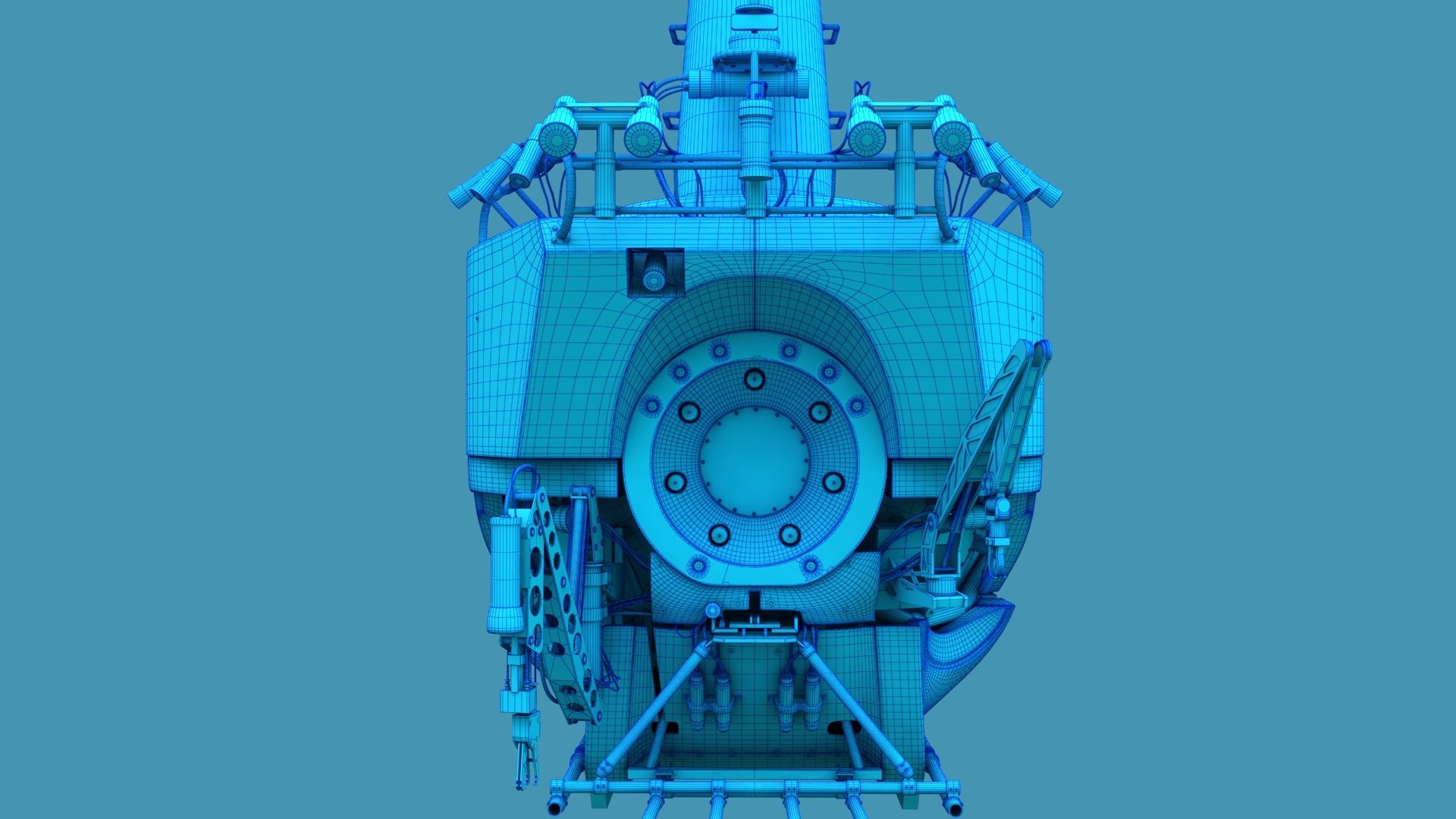
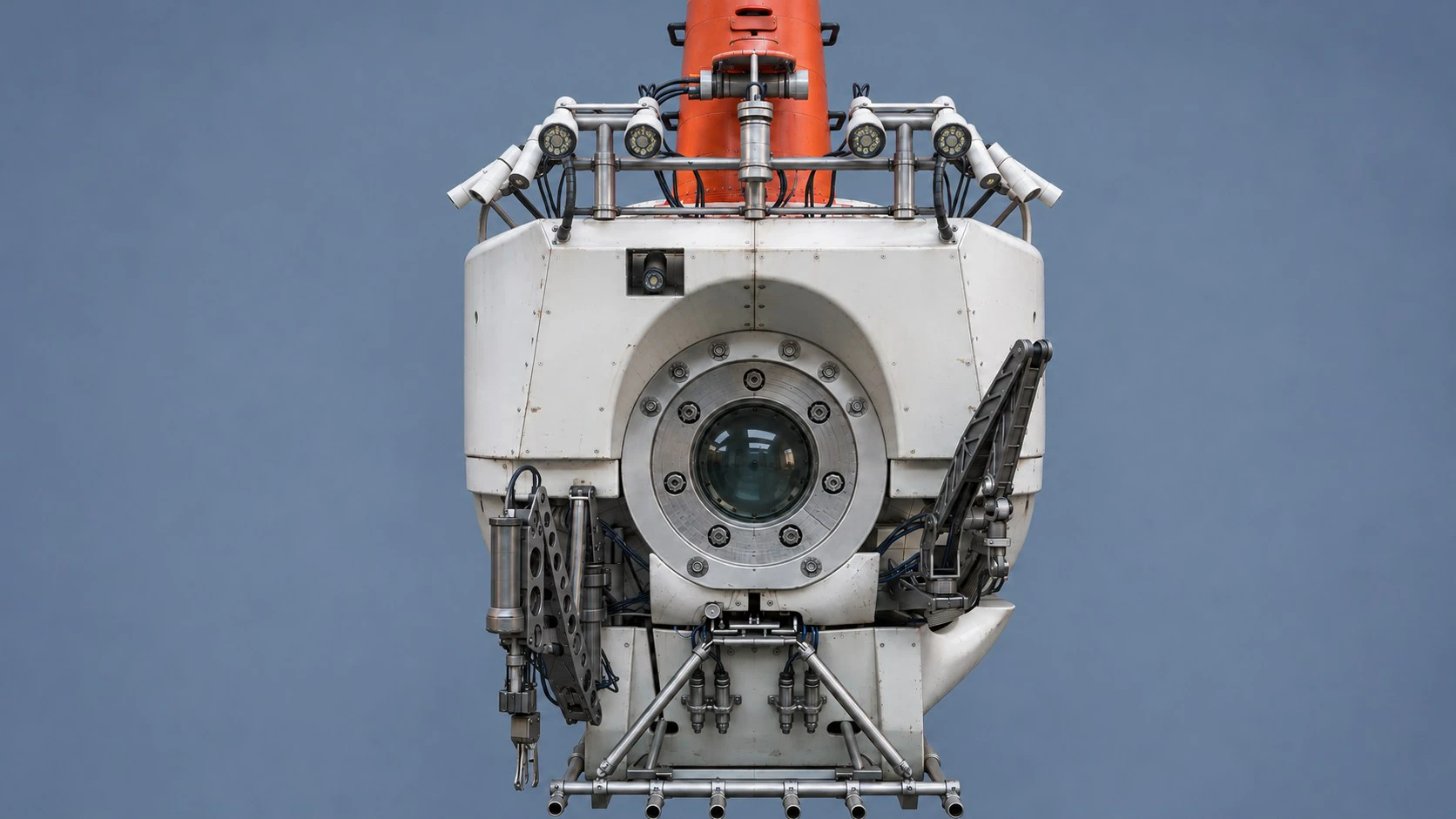
The DSV Alvin project includes original wireframe views alongside finished renders. They show the underlying geometry separately from the materials and lighting, illustrating the different aspects of a 3D scene that can be examined.
What should we check and how should we give feedback?
When checking a model or camera preview, look for the correct arrangement of parts, important visible details and useful viewing angles. When checking motion, look at the order of events, direction of movement and whether the viewer has enough time to understand each step. Appearance reviews focus on materials, lighting, colours and the intended visual style.
For technical content, nominate someone who can verify the mechanism and sequence. An explanatory animation can make an operation understandable; claims about measured performance need their own supporting engineering information.
Gather your team's comments into one coordinated response. A note such as “At 00:18, show the valve opening before the arm moves” gives a clear action. If two reviewers disagree, resolving that decision before sending feedback helps avoid repeated changes.
Prepare a short first brief.
You can use this as a starting point:
We need to show [vessel, product, system or space] to [audience] for [presentation, launch, design review or other purpose]. The main points are [key messages]. We currently have [drawings, models, photographs or references], and the design is [concept, developing or approved]. We need the visuals by [date] for [website, presentation, exhibition or print]. We are considering [images, animation or interactive 3D], or would like advice on the format.
Include a relevant example if it helps explain the style or level of detail you have in mind. A budget range can help define a practical scope; if it has not been set, say so.
For more detail, read what drawings and CAD files can contribute and what affects the cost and timeline.
More project guides.
All guides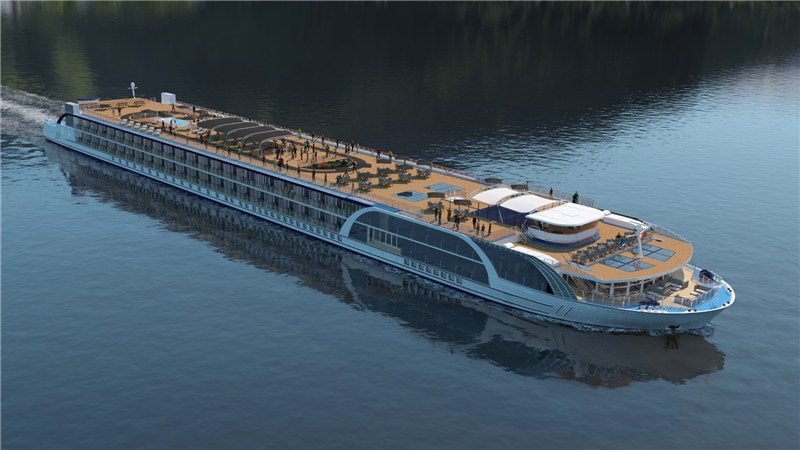
Have a project in mind?
Tell us what you’re working on. We’re happy to talk through the options, even if you’re just exploring.
Let’s talk